Phishing attacks are becoming significantly more sophisticated, making it incredibly difficult to distinguish between legitimate corporate messages and highly dangerous digital scams. A single wrong click on a deceptive URL can quickly lead to stolen login credentials, devastating financial loss, or severe malware infections on your personal device. Learning exactly how to spot a phishing link before you take any action is your absolute best defense against the growing tide of cybercriminals.
What Do Phishing Links Actually Look Like?
At first glance, a malicious phishing link often looks functionally identical to a URL you might use every single day, such as your primary bank's login portal, your workplace email server, or a highly popular social media platform. Cybercriminals are absolute experts at crafting highly deceptive web addresses that perfectly mimic trusted brands in order to effectively lower your guard and trick your brain.
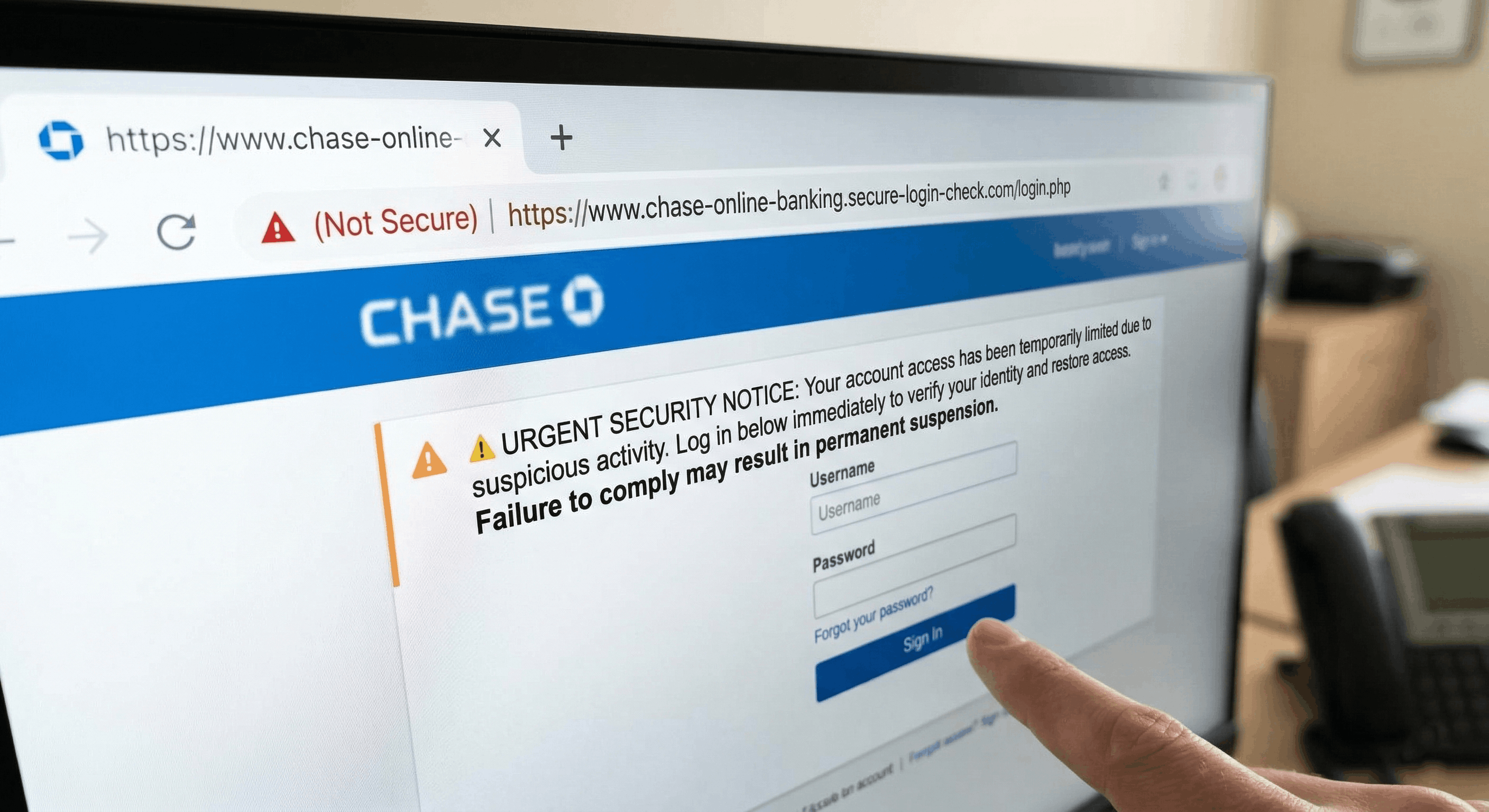
The visual differences between a real link and a dangerous one are usually incredibly subtle and easy to miss if you are rushing through your inbox. A scammer might register a domain that slightly swaps the uppercase letter "O" for the number "0", or they might utilize a slightly different domain extension, such as ending the web address in ".net" or ".org" instead of the expected ".com".
Furthermore, these malicious links are frequently disguised seamlessly behind hyperlinked anchor text like "Click here to immediately update your account" or "View your most recent invoice securely." Without a careful, deliberate inspection of the underlying code, your brain naturally fills in the visual gaps, falsely assuming the link is perfectly safe simply because the surrounding email context feels familiar and routine.
To make matters even more complicated, modern phishing campaigns actively utilize URL shortening services to completely mask the final destination of the hyperlink. This evasive tactic purposefully removes any obvious visual clues from the text, making it virtually impossible to know exactly where the link will lead you just by looking at the shortened text block.
Spotting the Most Common Red Flags
The surrounding context in which you receive the link is often just as important to analyze as the actual hyperlink itself. One of the absolute biggest red flags you will encounter is a manufactured sense of extreme urgency, panic, or threatened consequence. If an unexpected email forcefully claims your account will be permanently suspended in exactly 24 hours unless you click immediately, it is almost certainly a psychological trick designed to make you act before thinking.
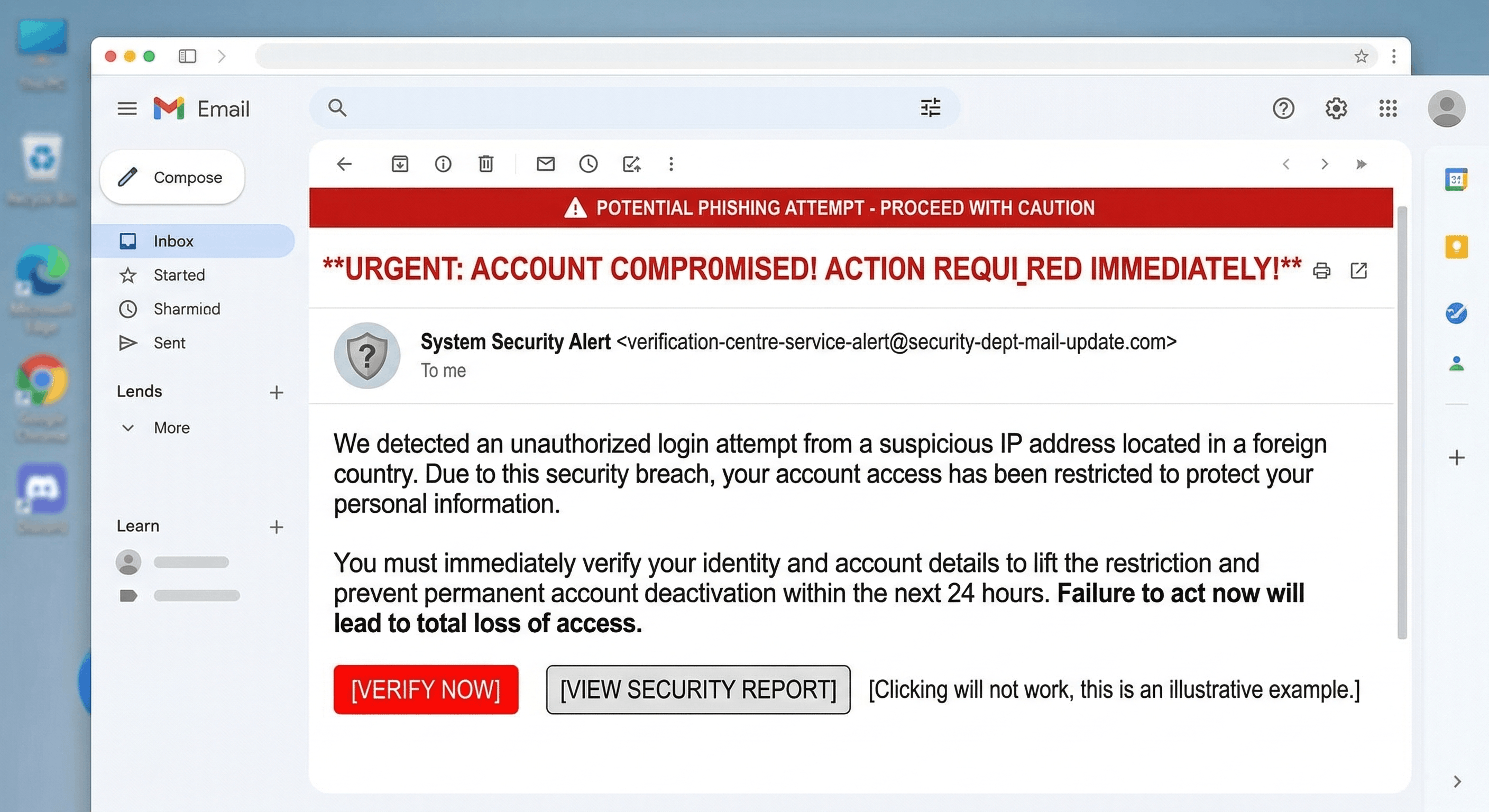
You should always take a moment to carefully verify the sender's actual email address, rather than just glancing at their easily forged display name. A deceptive message might prominently say it is from "Official Account Security," but actually clicking on the sender details dropdown might reveal a completely random, nonsensical string of characters like "security-update-12345@unrelated-domain-xyz.com".
Another major, undeniable warning sign is a hidden or mismatched destination URL. If the visible, clickable text of a link explicitly says "www.amazon.com/orders," but investigating it reveals a completely different, unpronounceable destination server, you are undoubtedly looking at a sophisticated phishing attempt meant to steal your private credentials.
To quickly summarize the most prominent warning signs, always be on the lookout for these specific tactics before clicking:
- High-pressure tactics demanding immediate payment, account verification, or sudden password resets.
- Slight typographical misspellings in domain names that look almost legitimate but are slightly off.
- Generic, impersonal greetings like "Dear Valued Customer" that completely fail to use your actual registered name.
How to Safely Inspect a Suspicious Link
If you receive an unexpected message that makes you pause even for a second, do not click the link right away under any circumstances. The absolute safest initial step you can take while using a standard desktop or laptop computer is to simply hover your mouse cursor directly over the hyperlink without actually clicking your mouse button.
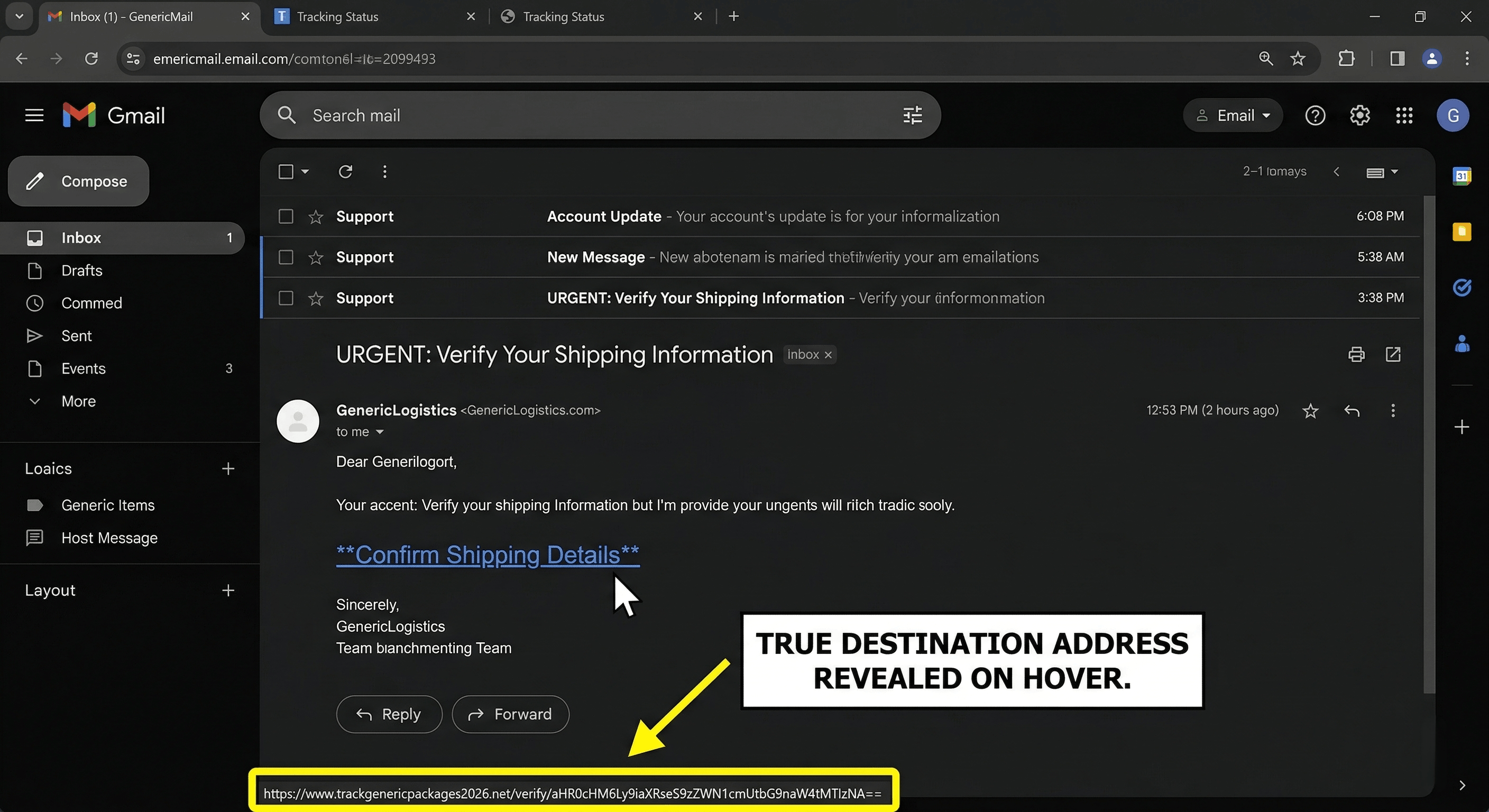
When you hover over the text, a small tooltip popup or a status bar located at the very bottom left corner of your web browser window will automatically display the true, underlying destination URL. You must carefully read this revealed address from left to right, paying extremely close attention to the specific domain name located right before the ".com" or ".org" extension.
On mobile devices like smartphones and tablets, simply hovering a mouse cursor isn't a physical option. Instead, you can carefully long-press your finger on the link. This deliberate action usually brings up a system preview window or a context menu showing the full, unedited URL. However, if your finger slips, you might accidentally open the malicious page, so always use this touch-based method with extreme caution.
If you are still feeling unsure about the safety of the destination after inspecting it, the absolute safest approach is to manually bypass the provided link entirely. Simply open a brand new browser tab and manually type the company's official, widely known website address directly into your browser's address bar to log in safely and verify your account status.
Using Dedicated Scam-Detection Tools
Hovering, long-pressing, and reading the address bar can catch obvious fakes, but today’s phishing pages also use look-alike domains, chained redirects, and shortened links that hide the real destination until the last second. When the message is built to make you click now, you need more than a quick glance—you need a workflow that treats the URL (and the story around it) as something to verify, not something to trust on sight.
That’s the role Novsy AI is built for: analyze the exact link you were sent, upload a screenshot of the email, text thread, or page if that’s how the pitch was delivered, or paste suspicious wording into the text scanner when that’s all you have—Novsy runs those inputs through analysis tuned for scam-style pressure and deception, so you get a clearer read on risk before you log in, download anything, or reply. You move from “this looks official” to “here’s what’s actually going on.”
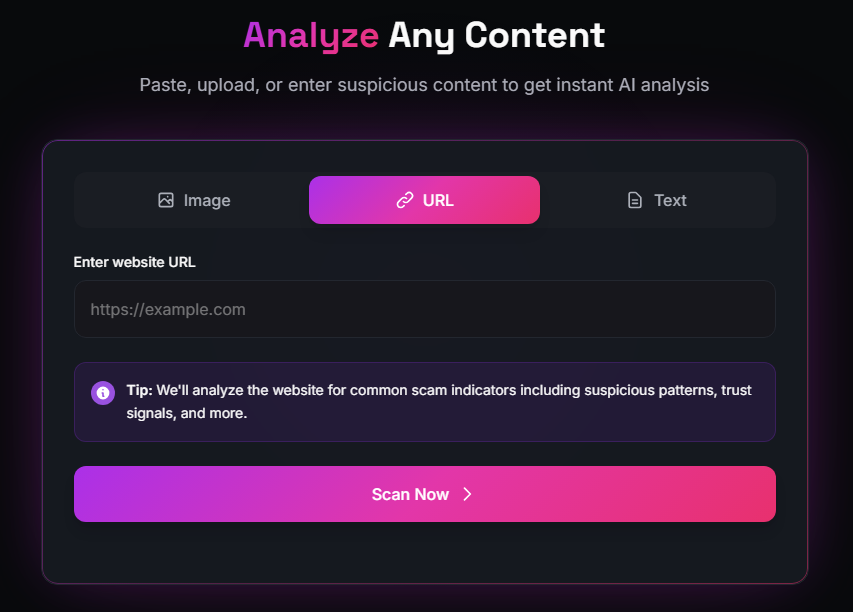
Unlike a basic link preview or a static blocklist, Novsy is focused on fraud context: it’s built for the ways attackers push phishing—urgent account alerts, fake invoices, “verify now” portals, and messages that punish hesitation. The goal isn’t to replace careful habits; it’s to add a structured check at the moment you’re deciding whether that click is worth the risk.
The point isn’t to replace your common sense; it’s to compress “what phishing actually looks like in real messages” into a repeatable step you can use every time someone sends a link. If a message rushes you, hides the real destination, or asks you to sign in through an unexpected path, run it through Novsy first, then still confirm through official apps, typed-in domains, and your real account portals. Pairing AI-assisted screening with those independent checks is how you stay ahead of links that look innocent until it’s too late—and keep your credentials and money out of reach.
Start Scanning →